A digital brand manual for every client, one link
Brand manual in PixelTask is a digital brand manual for each client, with logos, colours, fonts, images and guidelines in one place. It is made for freelancers and smaller agencies who deliver brands. You build the manual in the Mac app, next to cards and hours, and your client opens it on pixeltask.app with one link, no account needed.
- Sharing
- Link, password or invite
- Colours
- HEX, RGB and CMYK
- Logo package
- Made for you
- Built in
- The Mac app
What is a digital brand manual, and who is it for?
A digital brand manual is a brand's rules on a web page instead of in a PDF. Logos, colours, fonts, images and guidelines sit in one place, and everyone who uses the brand sees the same thing.
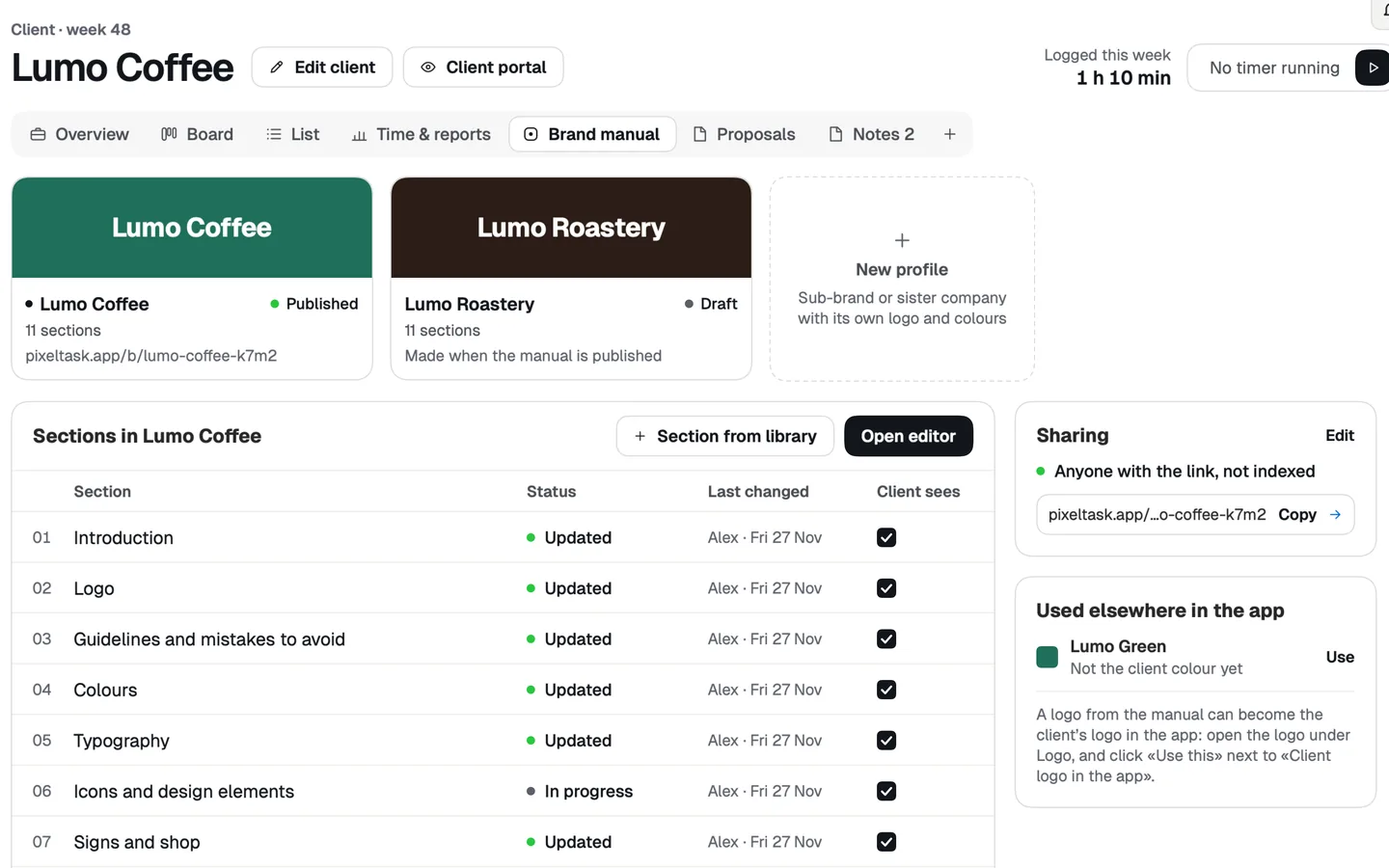
In PixelTask every brand manual belongs to a client. It lives on the client in the app, next to the board, the hours and the proposals. You don't need a separate tool just for manuals, and the delivery stays where the work happens.
It suits freelancers and smaller agencies who create or look after brands for their clients. On the client's side it suits everyone who needs the files and the rules: the marketing team, the printer, another agency and new hires.
Brand manual is a module you turn on when you need it. The owner does it in Settings → General → Features, and it shows up in the sidebar. If you don't use it, you don't see it.
How does my client get the brand manual, and do they need to log in?
You publish the manual and send the link. Your client opens it in the browser on pixeltask.app and needs no account to read it.
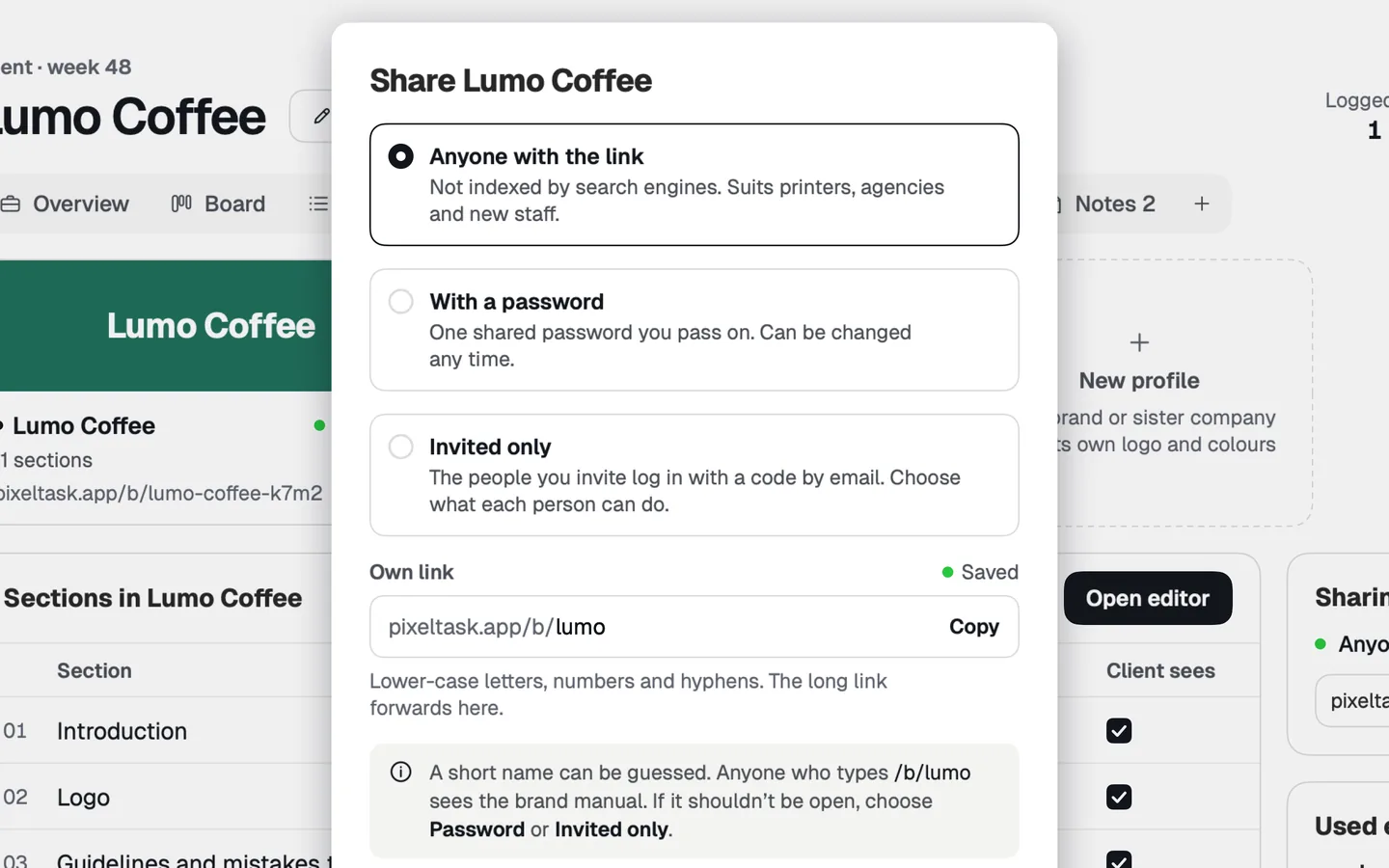
In «Share» you choose who gets in. With «Anyone with the link», everyone who has the link can open the page, and search engines don't index it. «With a password» gives one shared password you can change at any time. With «Invited only», the people on the list log in with a code sent by e-mail.
The first time you publish, you can send the manual to your client straight from PixelTask. The password is never in the e-mail. The manual can also get a short link, like pixeltask.app/b/lumo, and the old link still forwards.
If you want the client involved in the text, give their contacts a role: Can view, Can comment, Can suggest or Can edit. Logos, colours, fonts and downloads are locked by default. «Unpublish» closes the page at once.
What can a brand manual in PixelTask contain?
A brand manual has sections for logos, colours, typography and downloads, plus text sections you write freely. The standard template has ten sections in a set order, and you remove what you don't need.
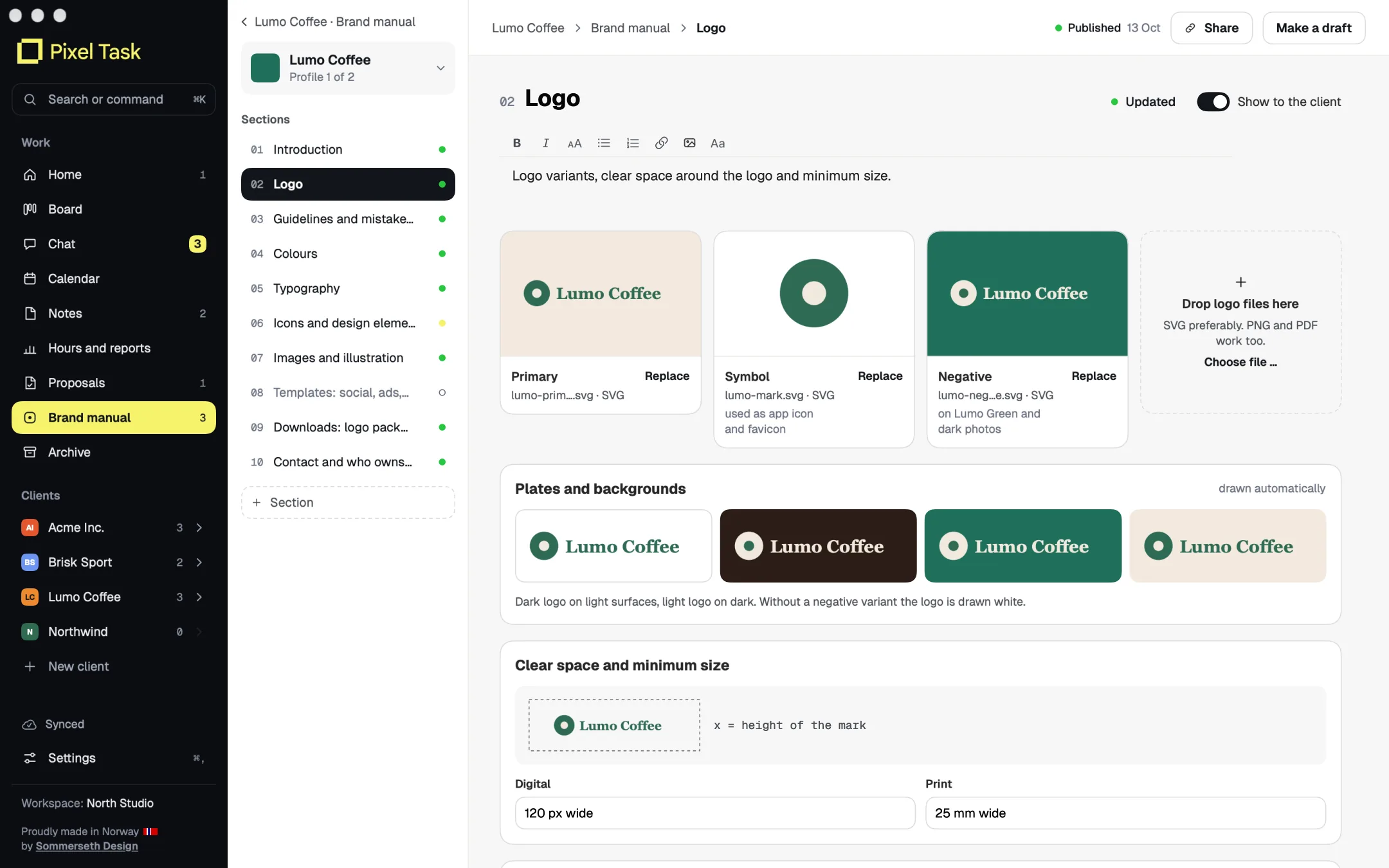
In Logo you drop in an SVG. Plates, clear space, misuse examples and a logo package are made for you. The package has one folder per logo, with SVG, PNG and JPG for screens and PDF for print, and a read-me that says which file to use for what. Favicons and app icons are made too.
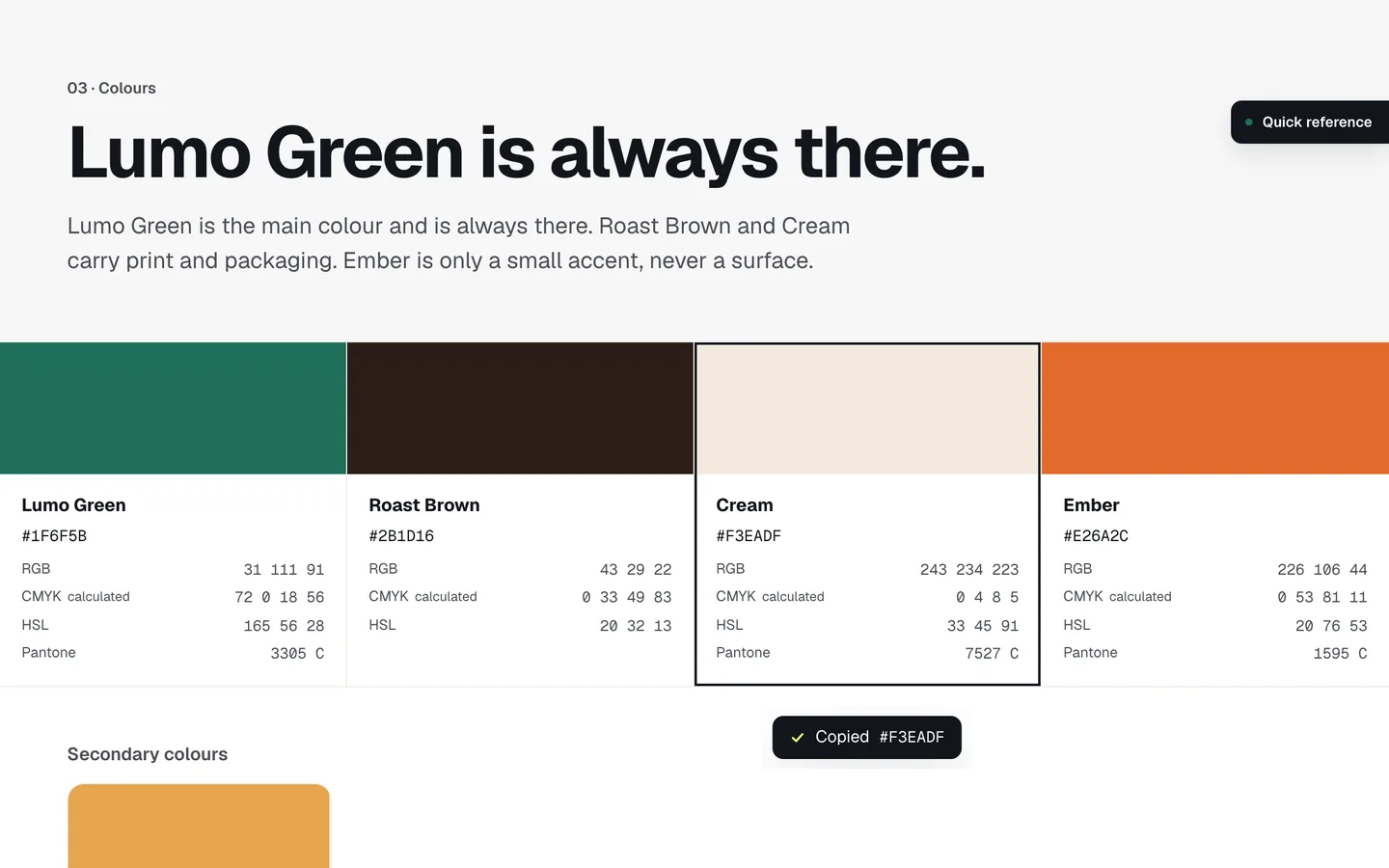
In Colours you type the HEX, and RGB, CMYK and contrast are worked out. You add Pantone, RAL, NCS and the studio's own CMYK yourself. Your client copies any value with one click, and the colours are also ready as CSS and Tailwind.
In Typography you upload the font. The app reads its name and weights and shows the hierarchy in the real font. The text can hold images side by side, callouts, code blocks, files and an image gallery.
How does a digital brand manual stay up to date compared with a PDF?
The link stays the same, and it always shows the latest version. A PDF sits in inboxes and folders, and after a while nobody knows which one is current.
When you change logos, fonts or colours in a published manual, the logo package is made again on its own. The CSS under Colours follows when you change a colour. Nobody has to pass a new file around.
You decide which sections your client sees. New sections stay hidden until you show them, so you can keep working on something without it going out half done. In the app every section has a status: Updated, In progress or Coming.
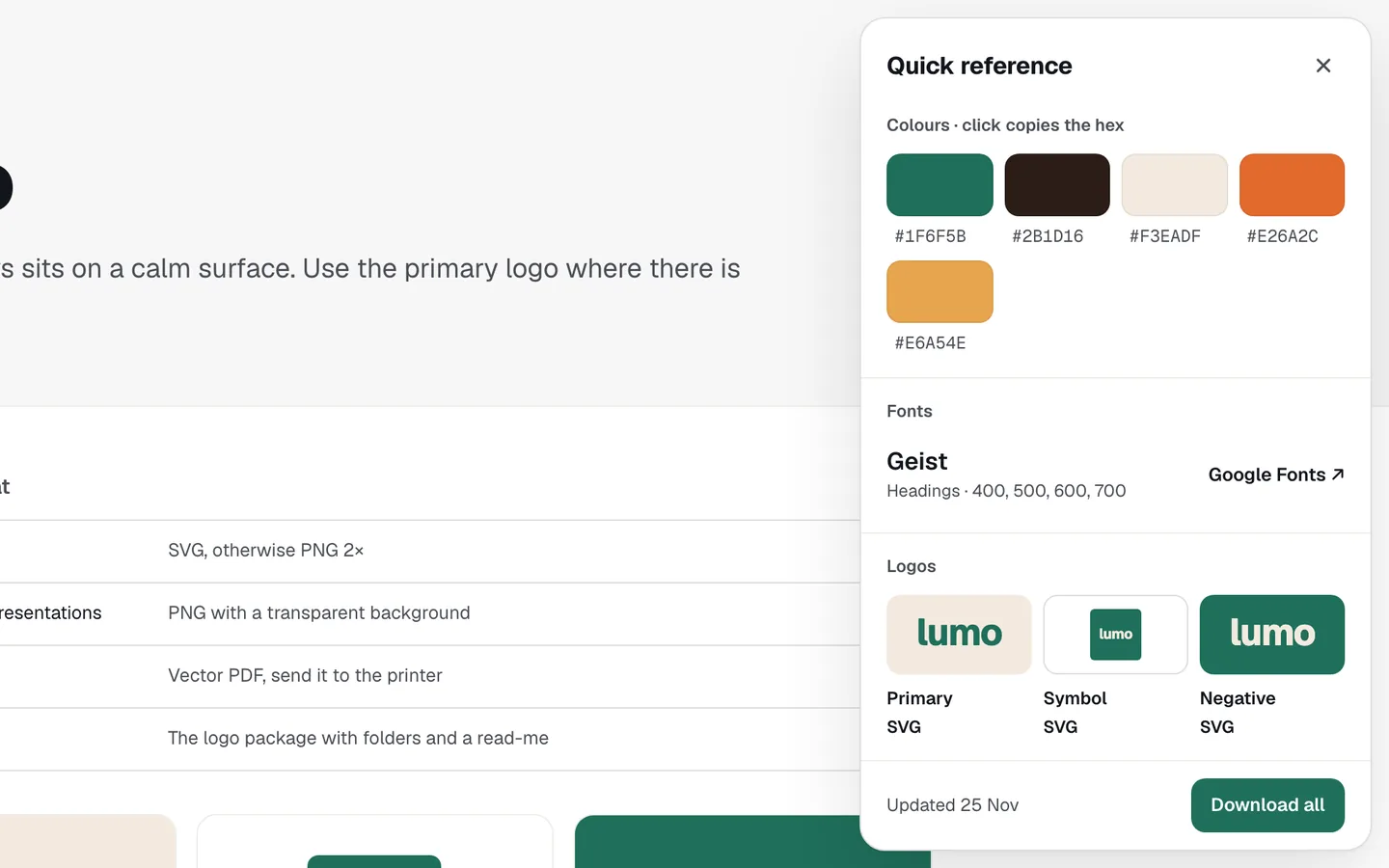
On the shared page your client gets search, a quick reference with the key colours, fonts and logos, and «Download all». The page uses the client's own fonts and one accent colour from the palette, on a light, calm surface.