Chat per client, like Slack, right by the work.
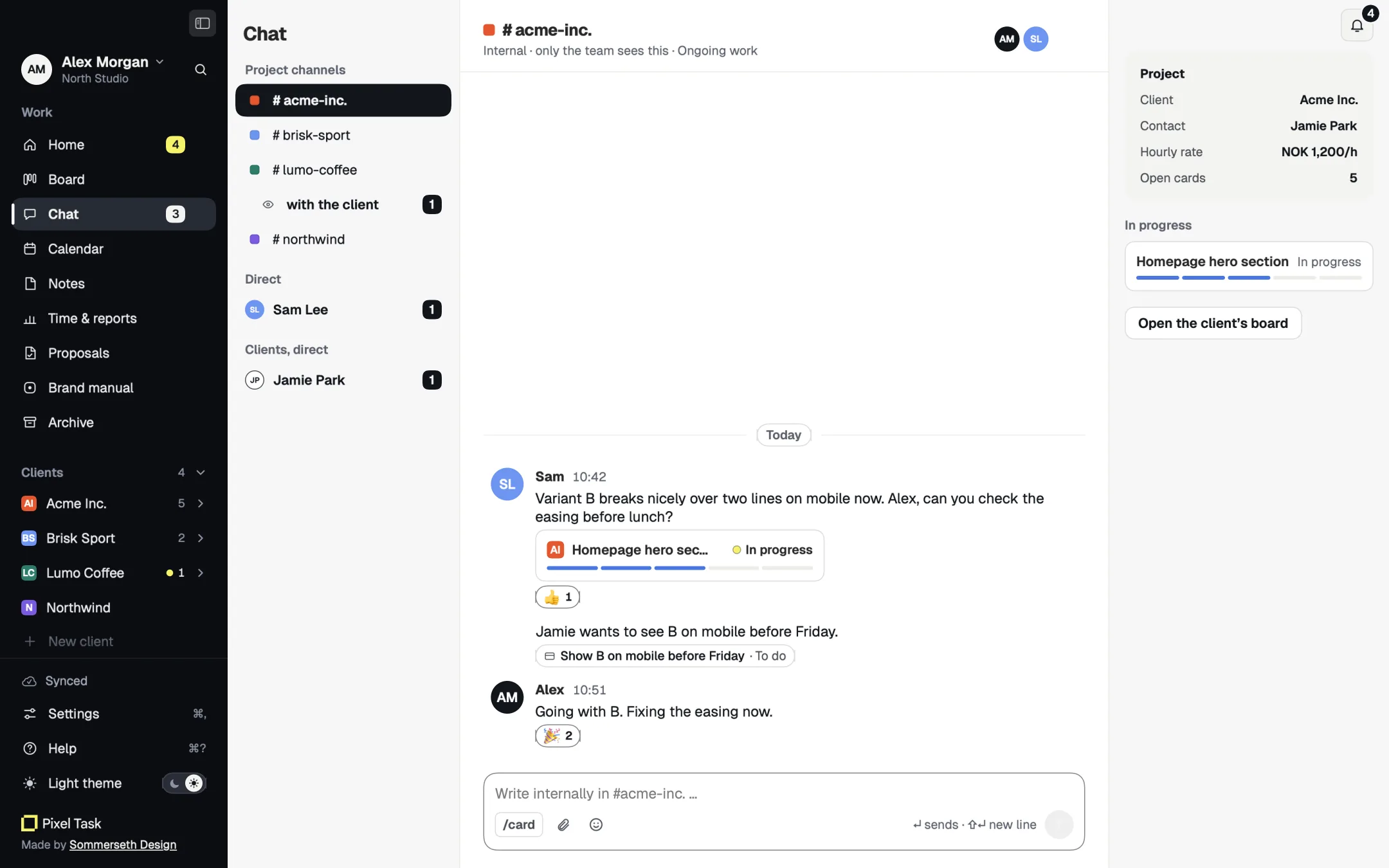
Chat in PixelTask is one channel per client for you and your team, with the cards you discuss right beside it. It is made for freelancers and small agencies who know Slack: direct messages, @ mentions, emoji and reactions. When the client has a client portal, you also get a channel with them. Any message becomes a card in one click.
- Channels
- One per client
- With the client
- Its own channel
- Message to card
- One click
- Platforms
- Mac, iPhone, iPad, Android
Is the chat in PixelTask like Slack?
It feels familiar: channels, direct messages, @ mentions, emoji and reactions. The difference is that the channels follow your clients, and the work sits right beside them.
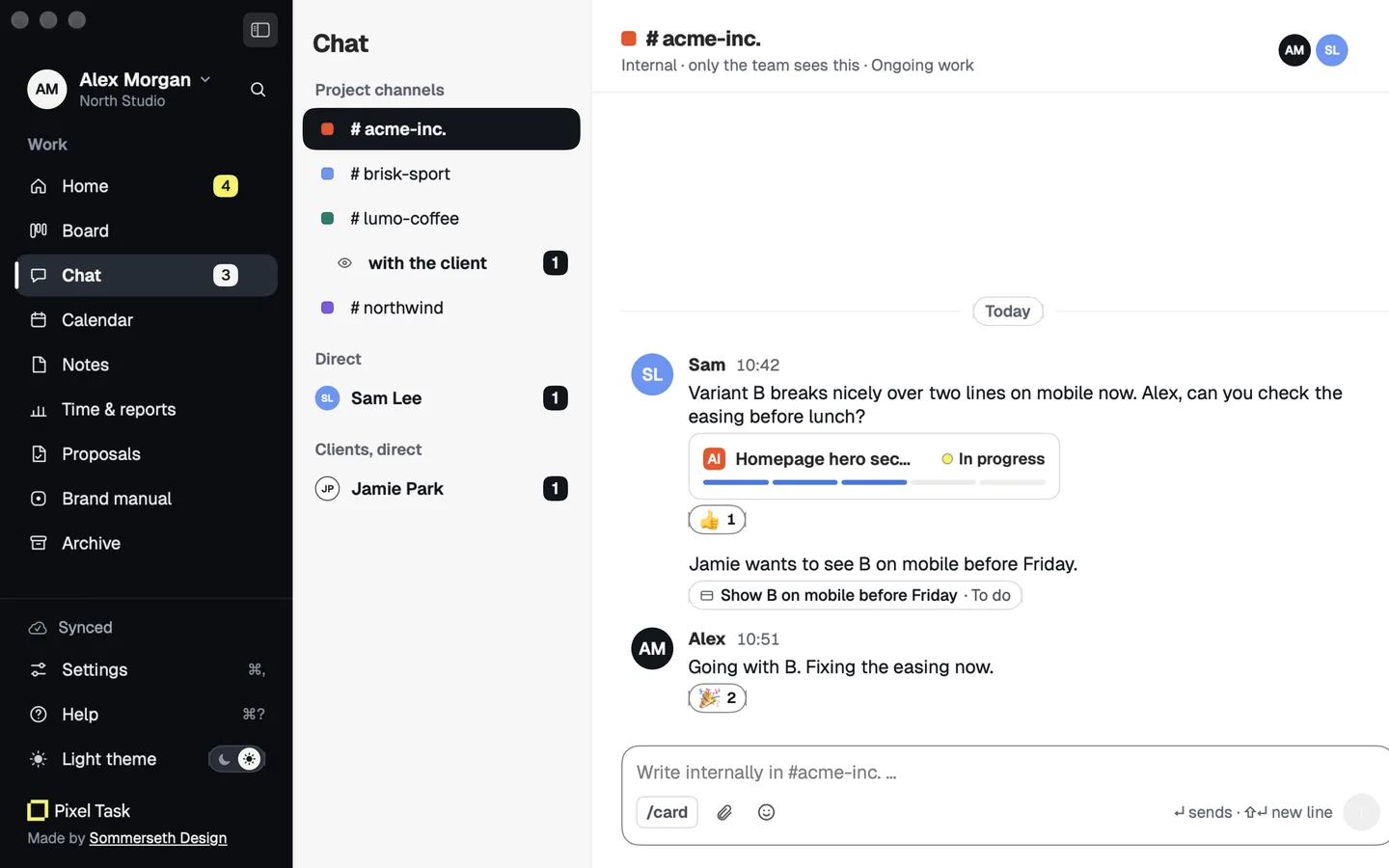
Add a client and it gets its own channel, so there are no channels to create or tidy up. On the right of the channel you see the client, the contact person, how many cards are open and the cards in progress, with a button to the client's board. You can also attach a card straight to a message.
Paste screenshots, drag in files and edit your own messages. Six reactions are ready: 👍 ❤️ 😂 🎉 👀 🙏. They are quiet, so nobody gets notified by them. A green dot shows who is in right now.
When a task turns up in Slack, copy the message and press ⌃⌥N. Quick card suggests a title, client, project and due date from the text, and Return makes the card.
Can the client join the chat?
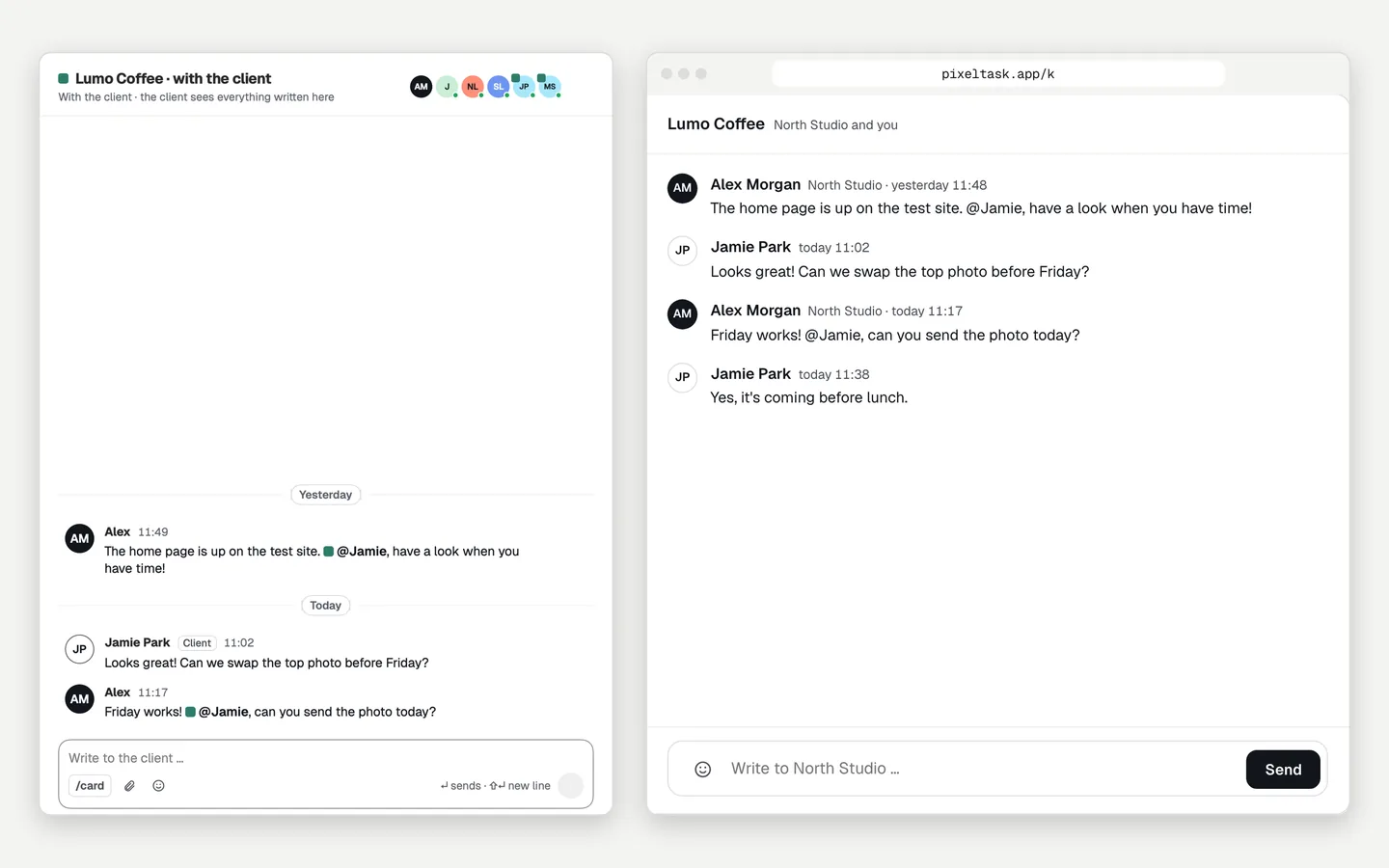
Yes, when the client has a client portal. They then get their own channel «with the client», right below your internal one. You and the client both see everything written there.
The internal channel stays yours alone, and the client never sees what is written in it. People at the client can also write directly to one of you. Those conversations sit under «Clients, direct».
Your client chats from the client portal in the browser, with no app and no account. They can use emoji and react to messages. Type @ in the channel with the client and you can mention one particular person there. If they have not read the message after 10 minutes, they get an e-mail.
You decide per client whether Chat shows on their page. When Chat is hidden, the top of the channel says the client will see everything once it is switched on. So you always know who is reading.
How does a message become a card?
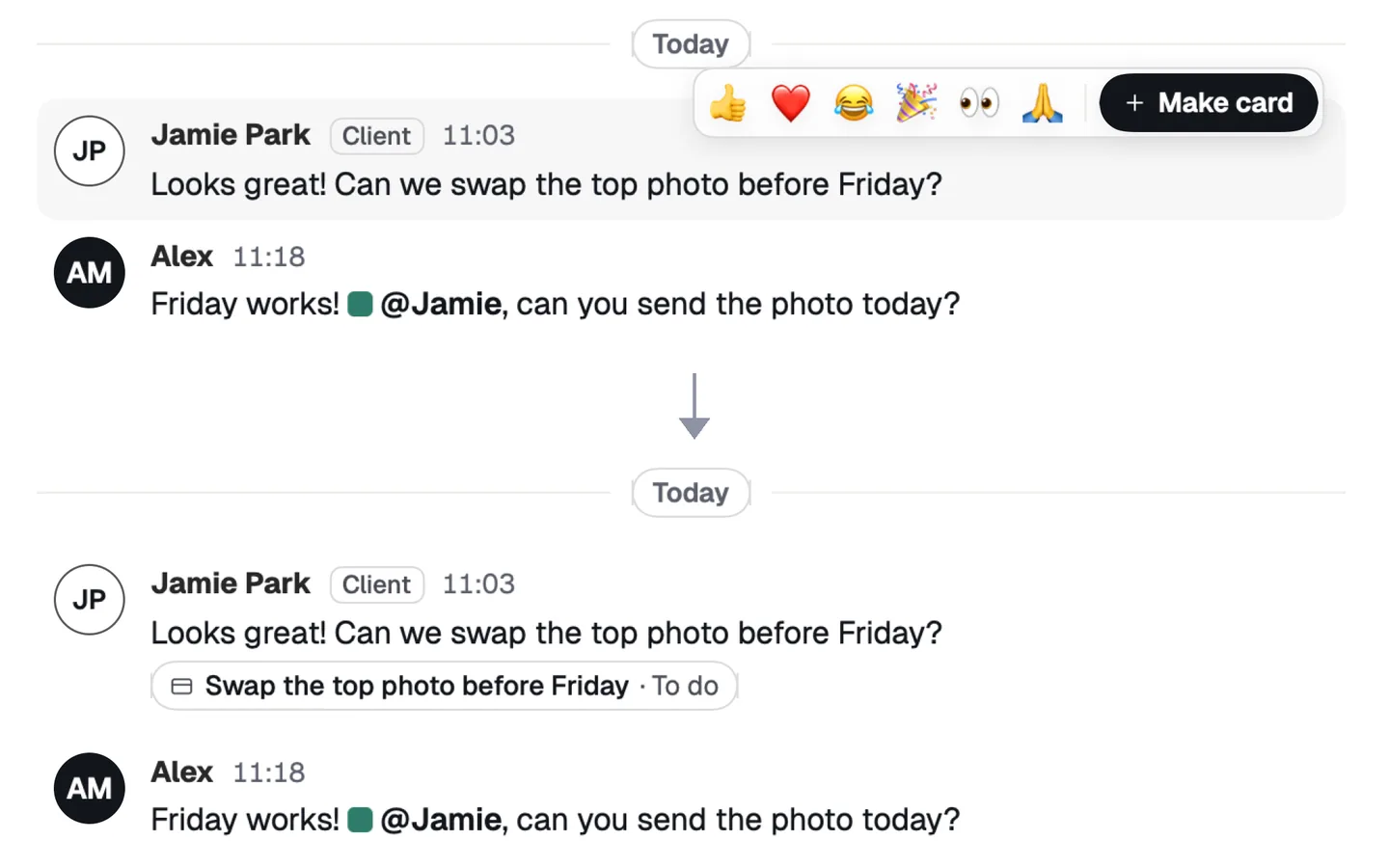
Hover over the message and click «+ Make card». The card is created for that client, with the first sentence as the title and the full text as the description.
It works in the client's channels, both the internal one and the one with the client. Once the card exists, it shows under the message, and the button turns into «Open the card». Everyone in the channel can see the request has been taken care of.
You can also right-click the message and choose «Make a card of this». The same menu has «Copy text», and on your own messages you can edit or delete.
It works the other way too. Attach an open card to your message, and whoever reads it opens the card in one click. Comments on cards have the same button, so what a client writes there can become a new card as well. That way no request gets lost in a long conversation.
Who sees what in the chat?
The internal channel is for your team and the people you have shared the client with. The client sees only the channel «with the client» and their own direct messages. The top of every channel says who is reading.
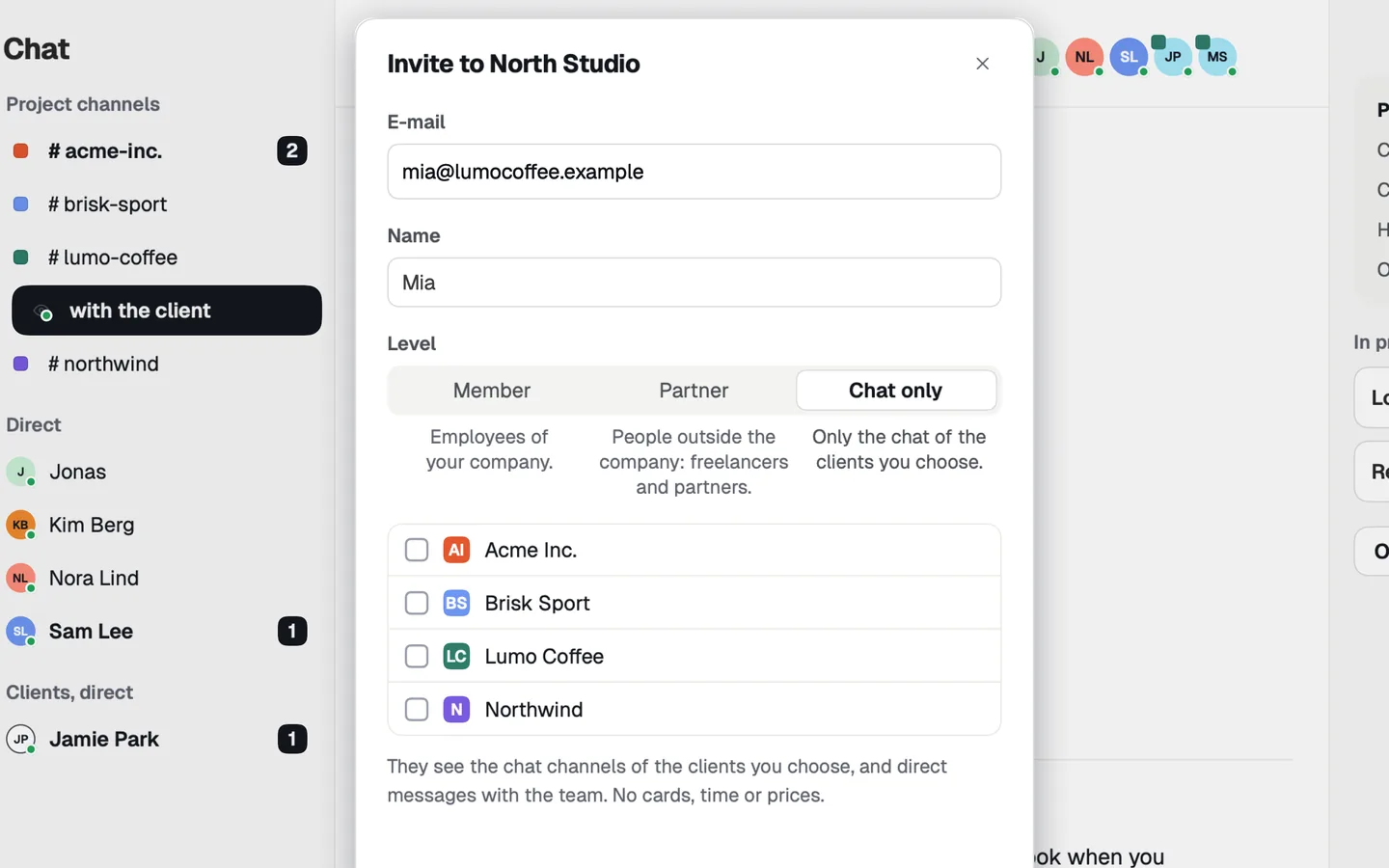
Team members see the clients' channels. Partners see only the channels of the clients you added them to. The «Chat only» level gives access to the chat for chosen clients, with no boards. Partners and chat guests never see your rates, your reports or your other clients. Direct messages are just the two of you.
The owner can turn Chat off for the whole workspace, and each person can hide it from their own sidebar.
You get a notification when someone mentions you with @ and when new messages arrive. Chat keeps its unread count to itself, so the bell sticks to what is waiting for your answer. With PixelTask on your phone, the notifications reach you there too.