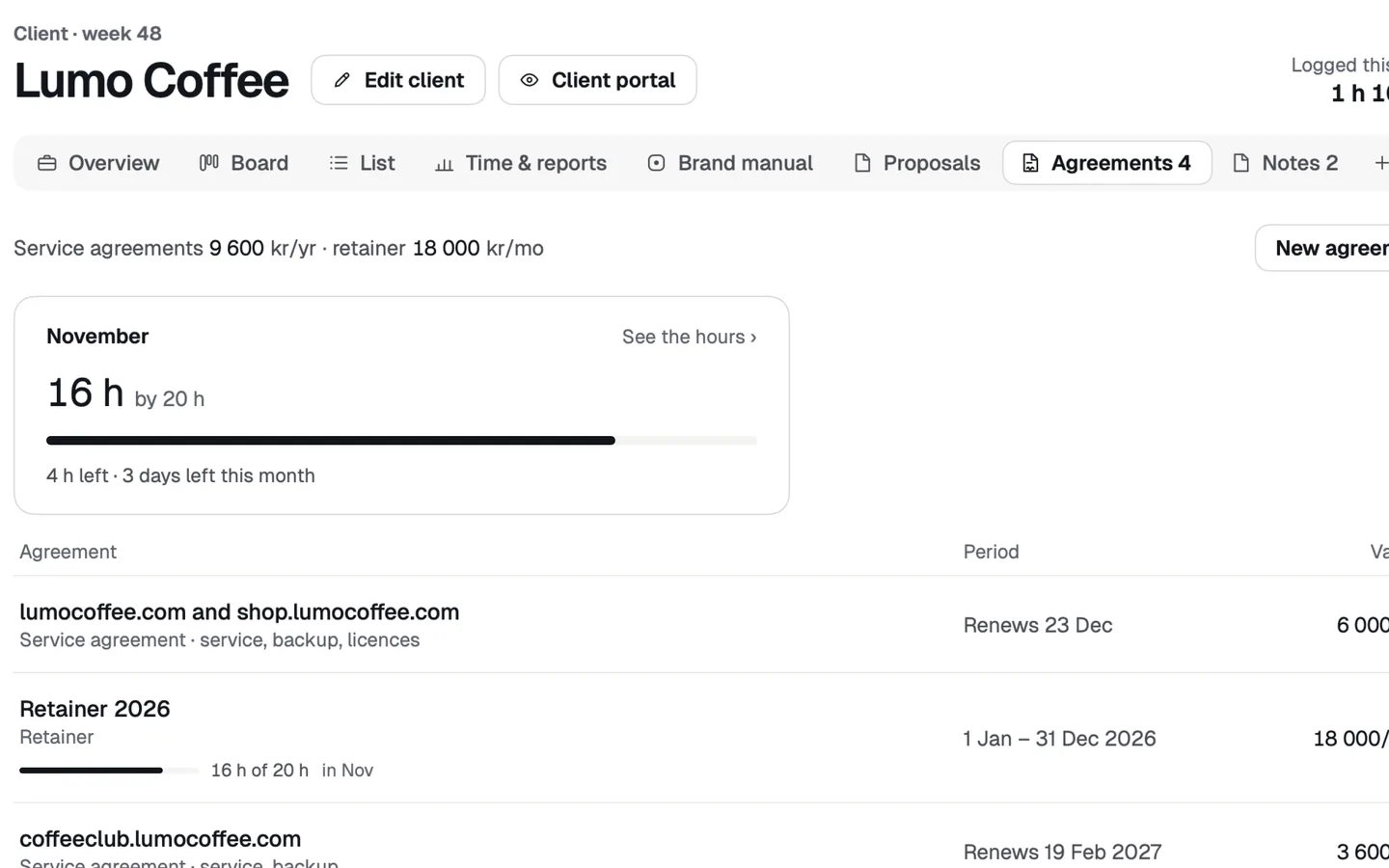
Agreements and contracts, next to your hours.
Agreements in PixelTask are where your contracts, NDAs and service agreements live, on the client next to the board and the hours. PixelTask keeps an eye on the dates and tells you in good time before anything renews or runs out. When the client needs to sign, they get a link and sign on their phone with an e-mail code.
- Lives on
- The client
- Client signs
- With an e-mail code
- Retainer
- Hours against the frame
- Renewals
- Notice, answer, invoice
What can I keep in Agreements?
Anything that ties you and the client together: project agreements, retainers, service agreements and other papers, like an NDA. Each agreement has a type and lives on the client, in the Agreements tab, next deadline first.
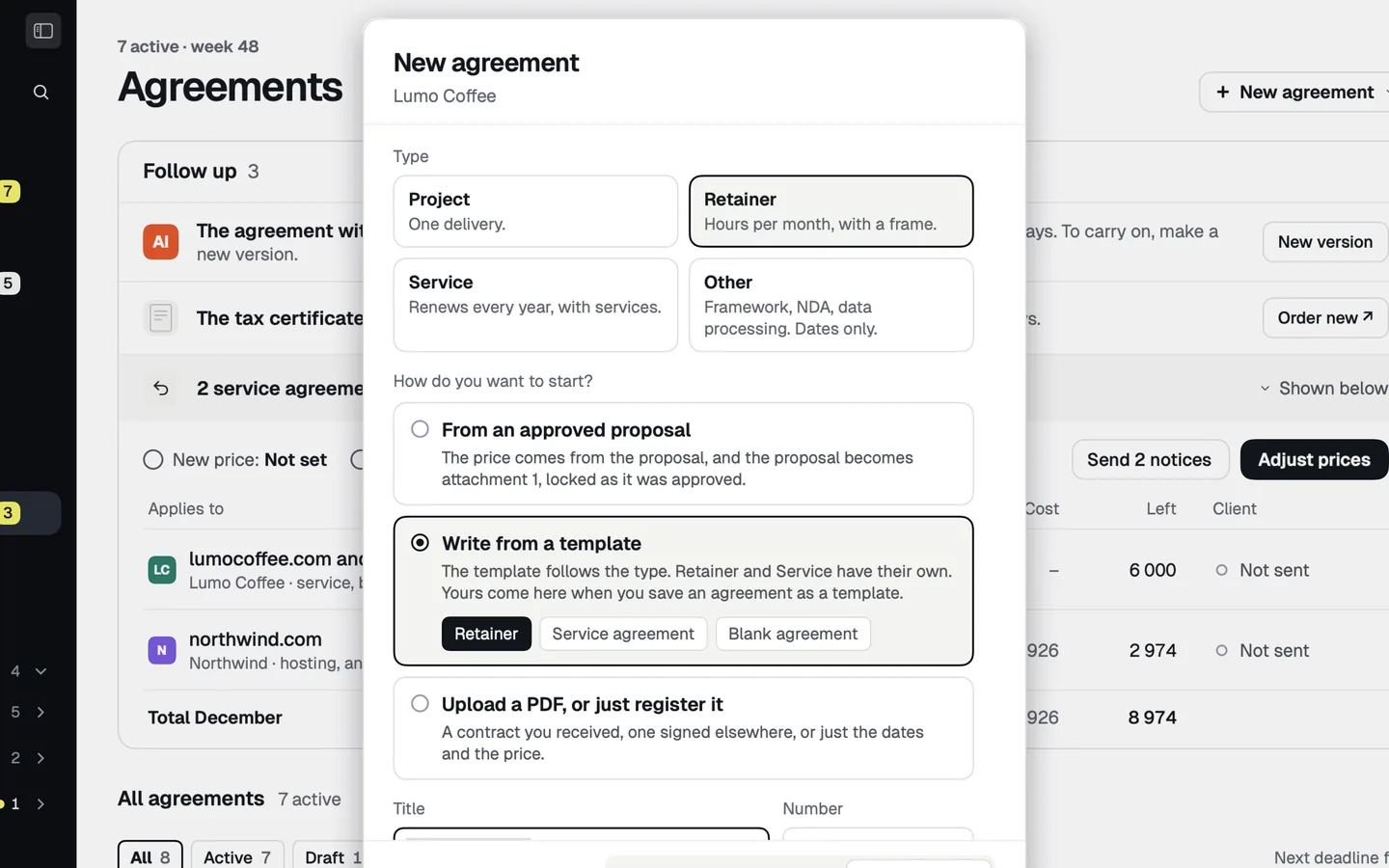
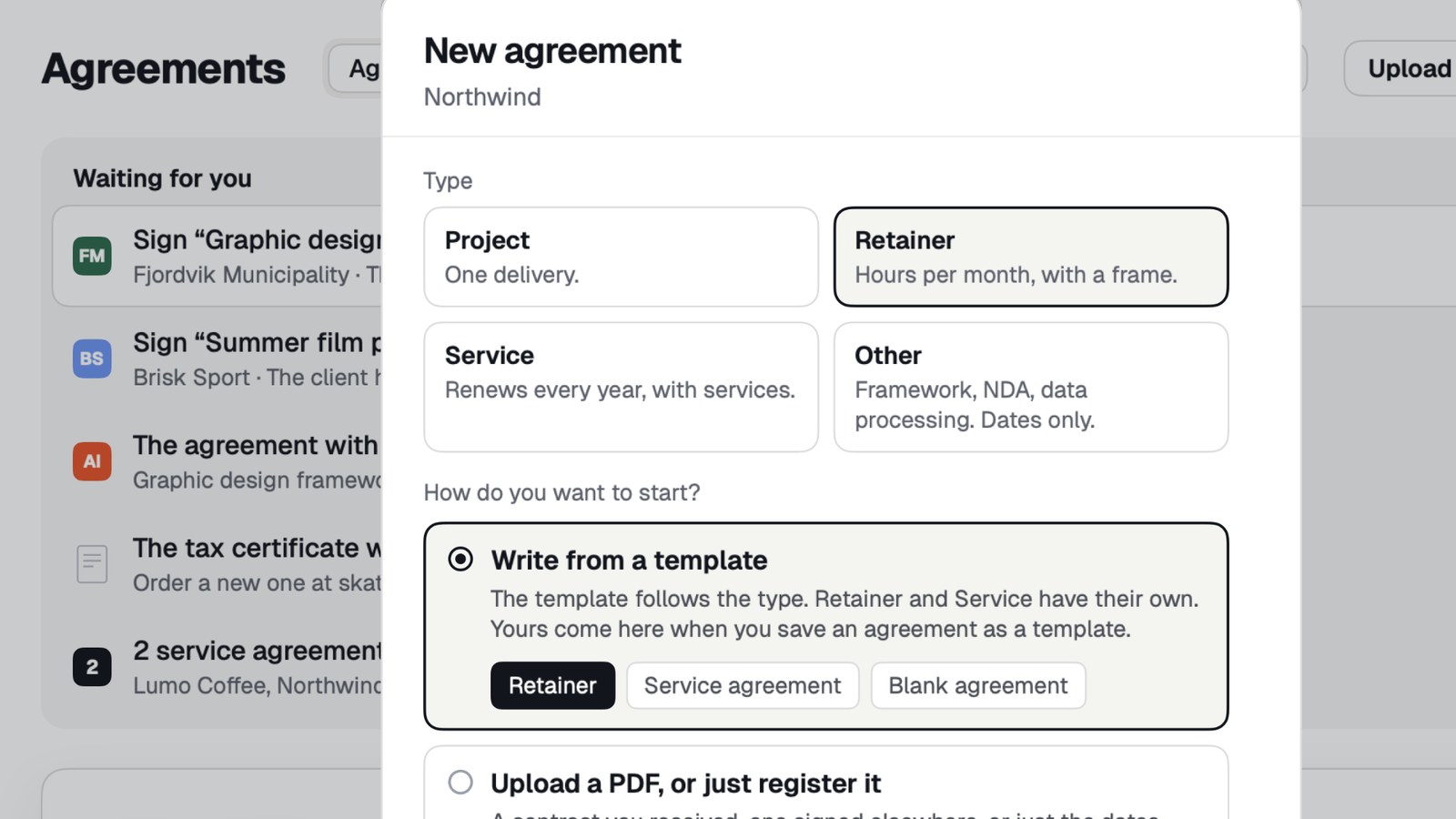
Upload a PDF you already have, or just register the dates and the price. A new agreement can be written from a template. Retainer and Service each have one, and you can save your own. If a proposal has been accepted, make the agreement from it. The price comes along, and the proposal becomes attachment 1. Got your service agreements in Notion? Import them from a CSV.
«Just save» is the default, so no agreement has to be signed. Only people on the team who see amounts can open the document and attachments.
Under Company documents you keep your tax certificate, certificate of registration and certificate of insurance. PixelTask tells you 30 days before they get too old, and «Pack for tender» gathers them when a tender asks.
How does the client sign an agreement?
The client signs in the browser, on their phone too, with a code from their e-mail. You choose the signing per agreement. With «E-mail code» the client types their name and confirms the code. With «Drawn + code» they also draw their signature.
The client gets an e-mail with a link. There they read the agreement and sign. No account, no app. You sign too, and choose whether you go first or after the client. Only people on the team with signing rights can sign for the studio. You're notified when the client has signed.
Once both have signed, the agreement is locked. Changes become a new version that is signed again, and the old one moves to Ended. The signed agreement comes with a signing record showing the name, the confirmed e-mail and the time.
Got a contract from the client? Upload the PDF, place your signature and download the signed file with its record. Send it back, or upload it to a tender portal.
How do I keep track of renewals and deadlines?
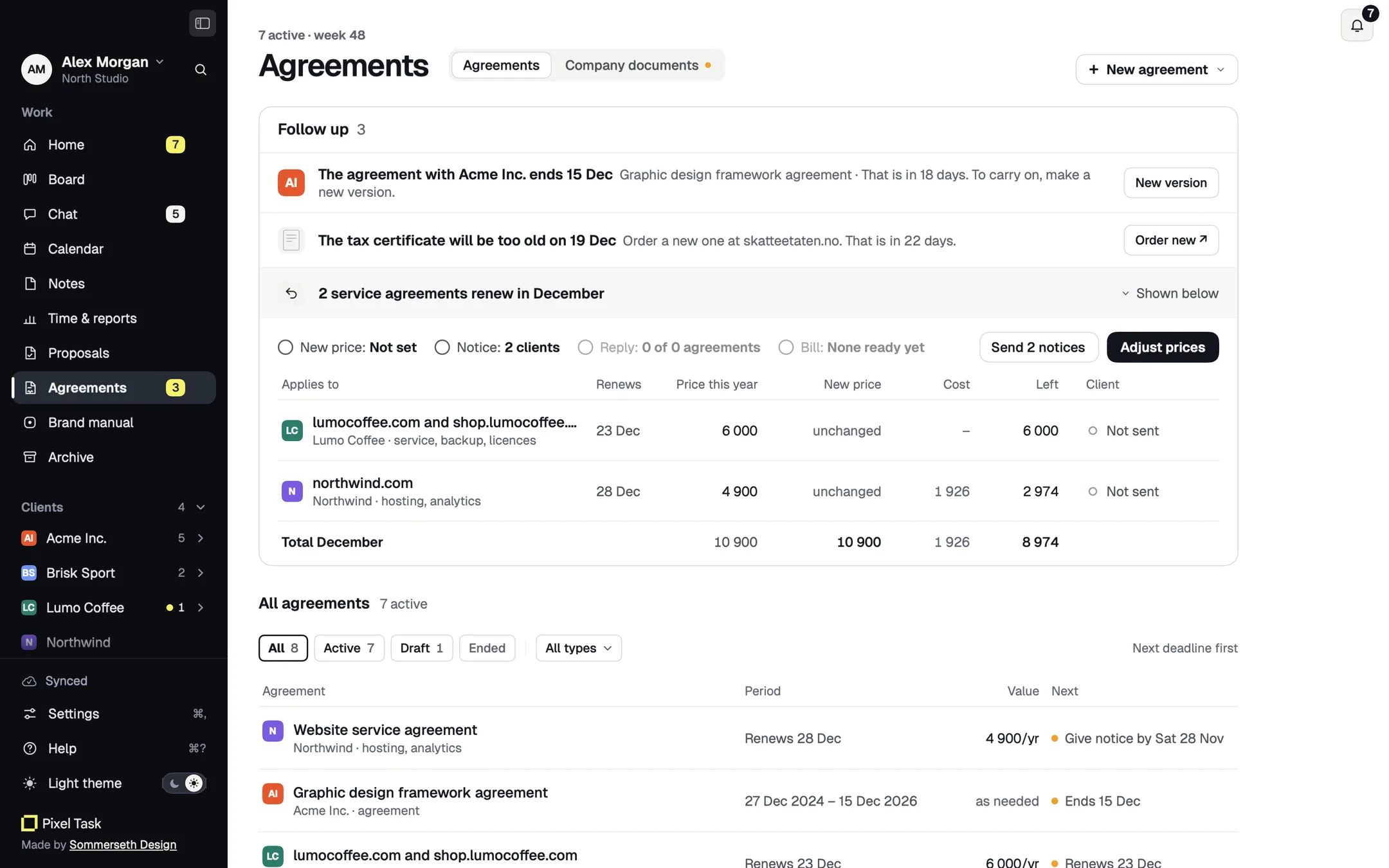
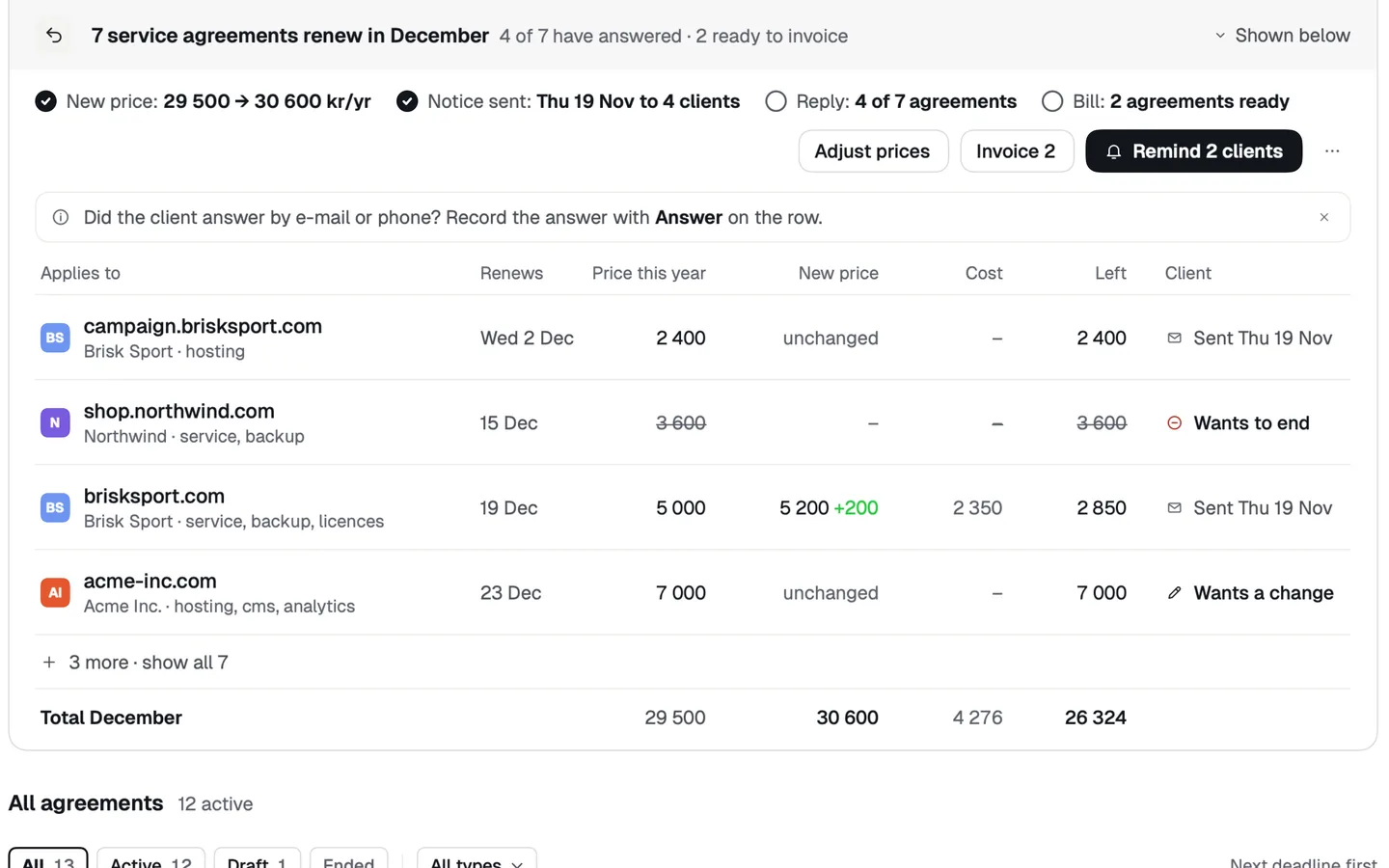
PixelTask gathers what renews into one round per month, in four steps: New price, Notice, Reply and Bill.
The client gets the notice by e-mail, with a link to answer: renew, change or end. The page shows the notice period too. The answer deadline is set per client, say 10 days before their own renewal, and you can cc more addresses at the client. Before it goes, you check to, cc and deadline in one table, and afterwards whether each e-mail was delivered. Answers by phone you register yourself.
With no answer, the agreement renews at today's price. When you send a new price, you choose what happens without an answer, and the client gets at least 14 days. When a client renews, the bell tells you, and the invoice goes to Visma eAccounting or is copied as text.
On your phone you're notified when a client wants to end, when a notice didn't arrive, and when something is signed. The work itself happens on the Mac.
How do I follow the hours on a retainer?
Give the client an hour frame, and you see each month's hours against it. Set the hours per month under «Edit client», and choose whether unused hours carry over to next month.
The hours come from the timer on the cards, so you only log them once. The top of the client's board shows how much is used this month. In the Agreements tab, the month shows the hours used, how many are left and how many days remain. If you go over, it shows how much is over the frame.
Hours count with two decimals, just like when they're invoiced. The agreement itself, with price, notice and renewal, goes in as a retainer under Agreements, with its own template.
That way you see early whether the month will hold, and can talk to the client before the hours run out.