From hours to invoice drafts in Visma eAccounting
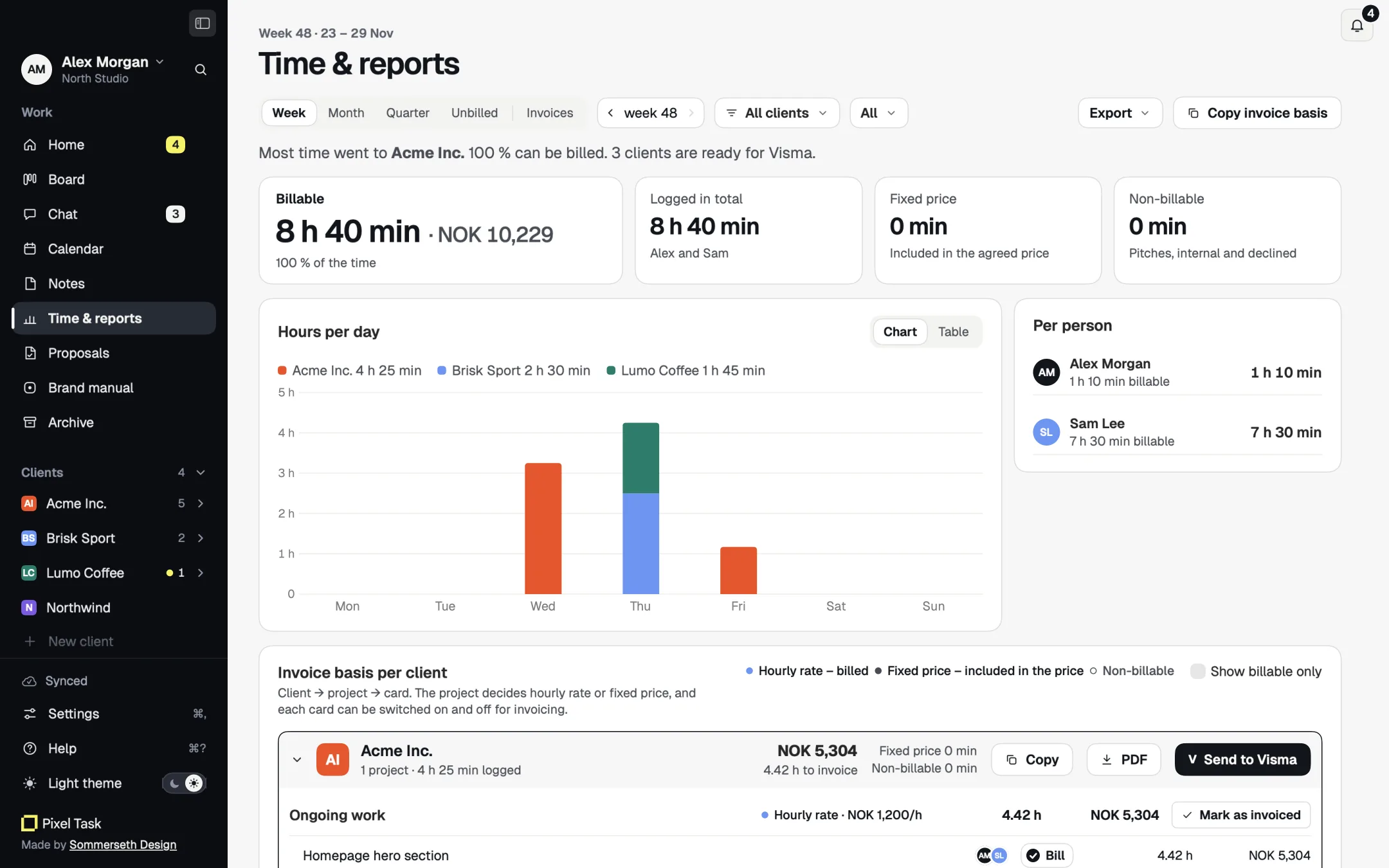
Visma eAccounting in PixelTask is a connection that turns unbilled hours into invoice drafts in Visma. It is for freelancers and small agencies who track time on their cards and invoice from Visma. You pick the client in Time & reports, check the lines and press Create invoice draft. You send the invoice itself from Visma.
- Sends
- Invoice drafts
- Connect in
- Settings → Integrations
- Requires
- Visma's API add-on
- Invoice number
- Fetched back
What does PixelTask send to Visma eAccounting?
PixelTask sends an invoice draft with the client, the hours and the references. You send the invoice itself from Visma.
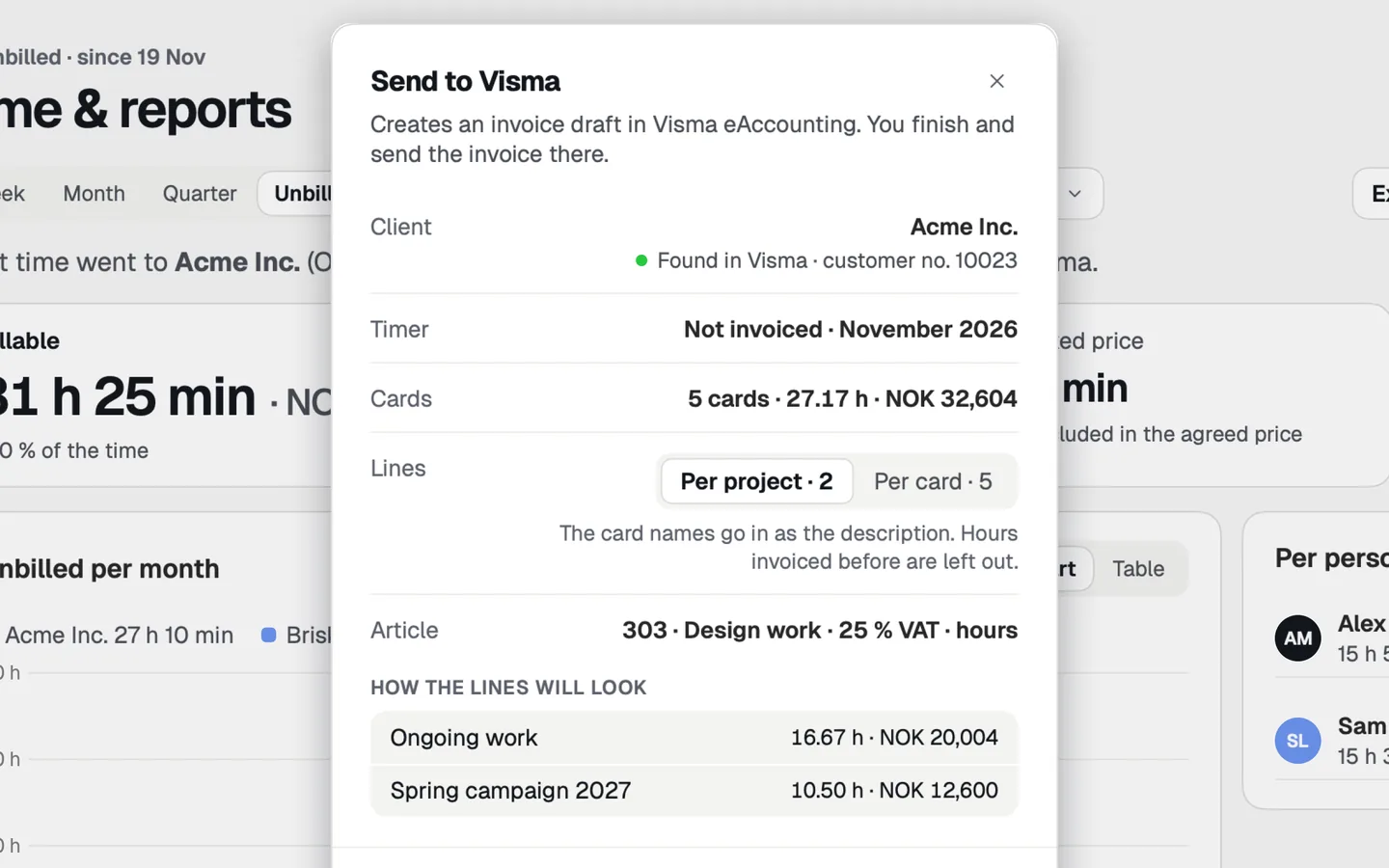
The client is found in Visma by organisation number, or created there. If the client has no organisation number, PixelTask finds it by name or e-mail and asks if it is the right company first. A new client needs a postcode and city, which you fill in on the sheet.
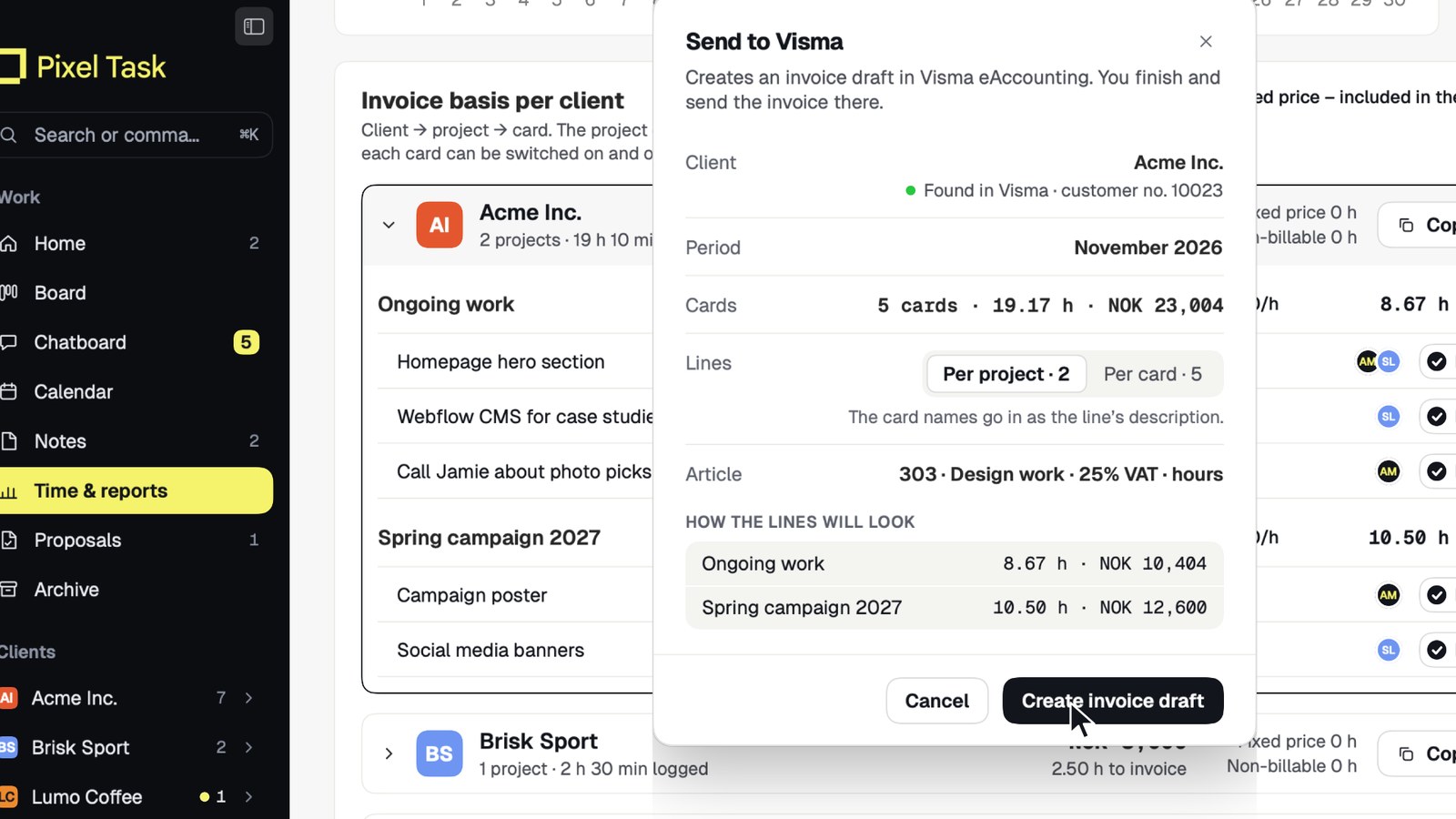
You choose lines per project, with the cards in the text, or one line per card. The owner picks the article in Visma the hours are booked on. The hourly rate comes from PixelTask and the VAT from the article. Amounts in PixelTask exclude VAT, and Visma adds it. Clients outside Norway get drafts without VAT, because Visma decides that from the client's country.
The references are filled in, with the client's contact and your name as our reference. The period is in the text. Renewals from Agreements can go to Visma too, one line per agreement.
Do I approve anything before the client gets the invoice?
Yes, always. PixelTask only makes a draft. Nothing reaches the client until you have checked the invoice and sent it from Visma.
Before the draft is made, the sheet in PixelTask shows the hours, the amount and the cards that are included. Cards without an hourly rate are dimmed and left out. When it looks right, press Create invoice draft, and Open in Visma takes you straight to the draft.
The hours are marked as invoiced at once, so nothing can be sent twice. If something is wrong, choose Undo while it is still a draft. The draft is deleted in Visma and the hours are unbilled again.
If Visma does not answer, PixelTask says nothing has changed and offers to try again. If Visma's answer was unclear, Check in Visma finds out whether the draft was made before anything is sent again.
The owner connects Visma under Settings → Integrations. Anyone who sees all hours and amounts can send.
How do I know the draft has become an invoice?
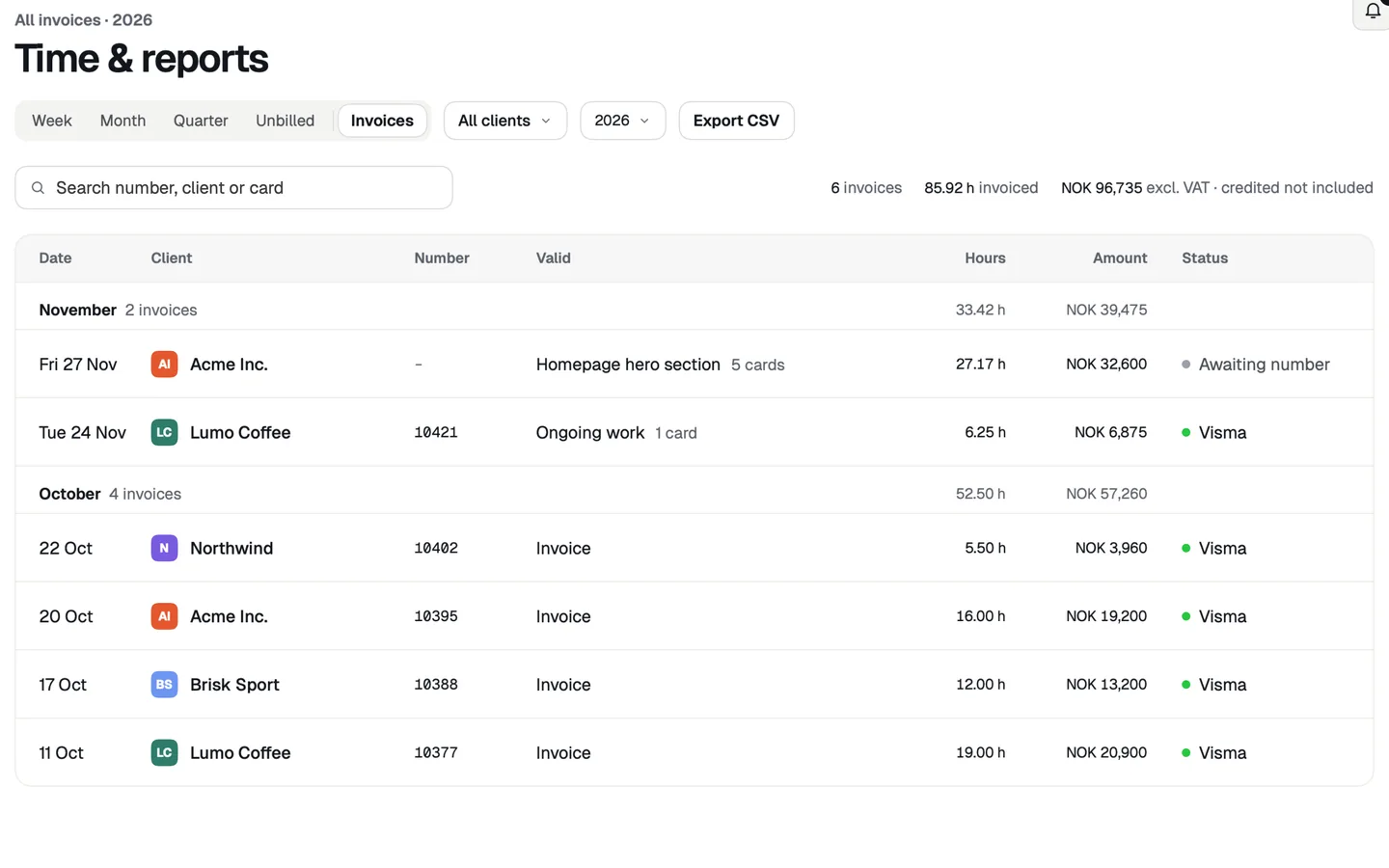
PixelTask keeps an eye on it for you. While the draft sits in Visma, the cards and hours show In Visma with a grey dot. Once you have sent the invoice from Visma, PixelTask finds it by itself and shows Invoice 10421 with a green dot.
That works even if you edited the text in Visma before sending. If PixelTask is not quite sure which invoice it is, it keeps saying In Visma. You never get an invoice number that might be wrong.
Under Invoices in Time & reports, all your invoices are in one list, with number, client, hours, amount and whether they went to Visma, as a PDF or were marked by hand. You can search by number, client or card, and the CSV export includes the invoice number.
If an invoice has to be credited, make the credit note in Visma and choose Mark as credited in the card. The hours become unbilled again, and the history stays.
Can I invoice a card that isn't finished?
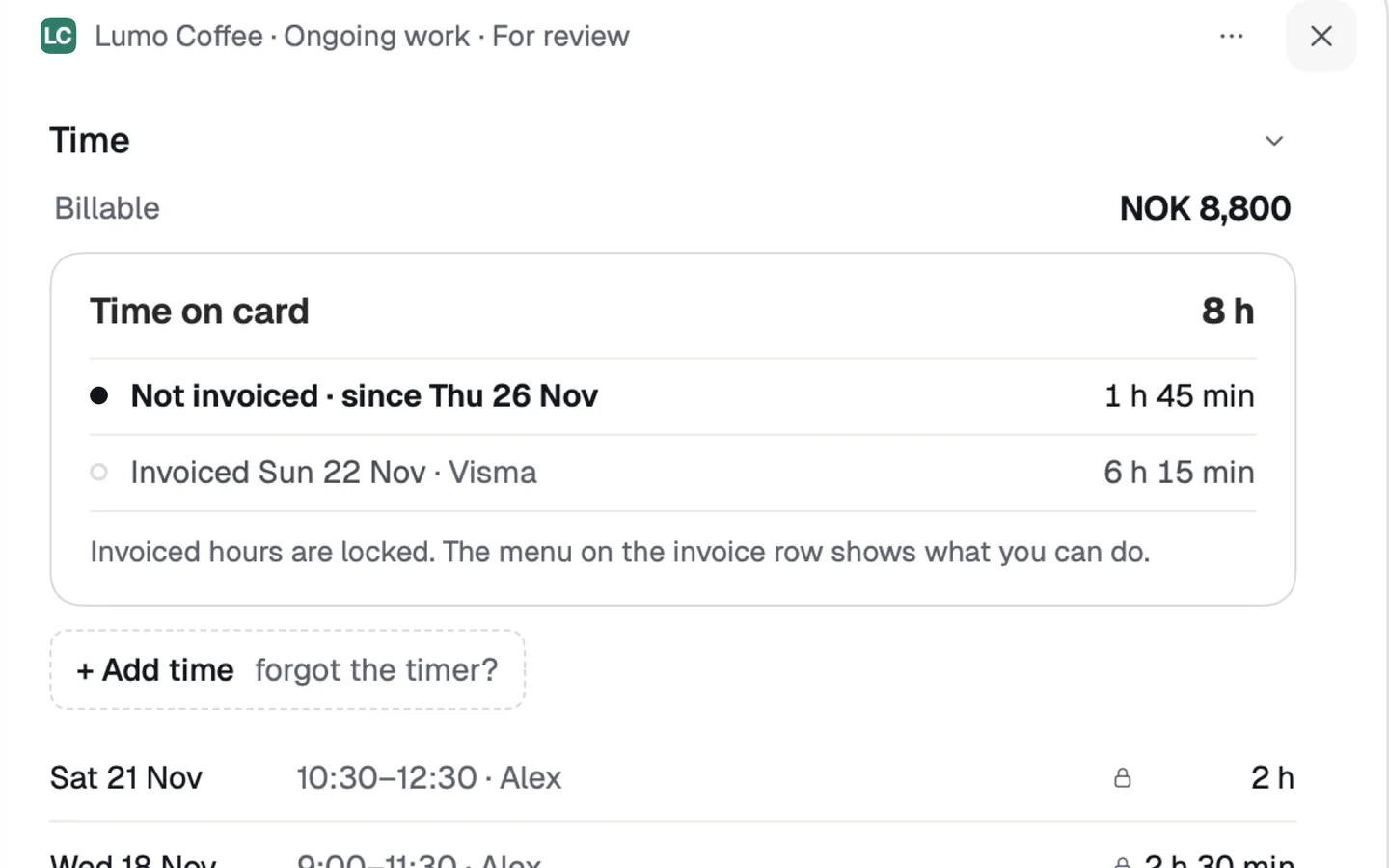
Yes. Invoiced applies to each single hour. You can invoice Lumo Coffee for January, keep working on the same card and invoice again in February. Only the new hours come along.
Choose Unbilled in Time & reports to see everything not yet invoiced, per client and all the way back to the oldest hour. Send to Visma from there. Afterwards PixelTask asks whether any of the cards are finished. You move the finished ones to the Archive, and the rest stay on the Board.
If a card should not be invoiced now, switch off Bill on it. The card then gathers in a calm line under the project, «1 card left out», and you switch it back on from there.
Pick one person and the draft takes only their hours, for example Send Sam's hours to Visma. The owner can also round each card's hours up on the invoice, to the quarter, half or whole hour.